

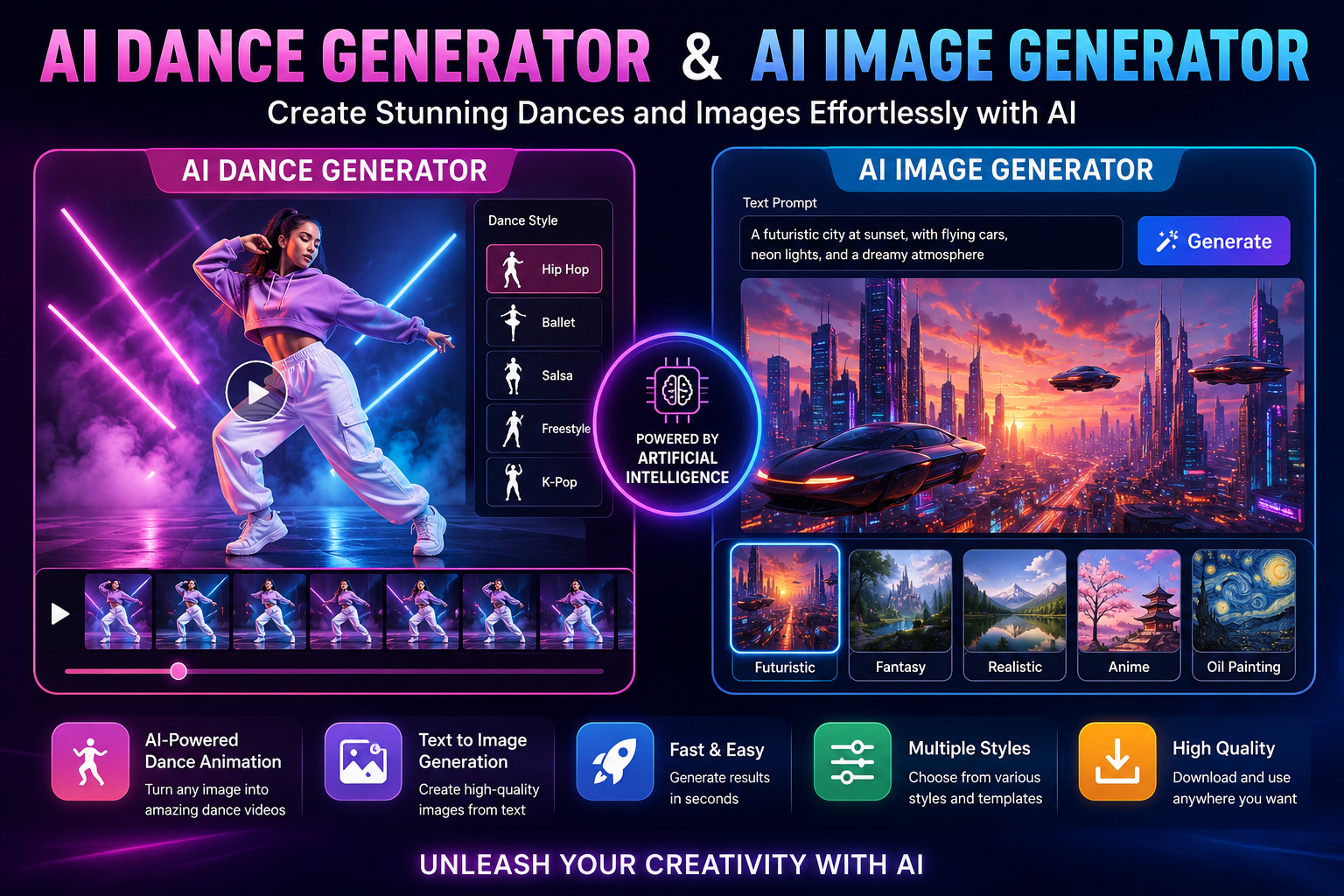
Artificial intelligence is changing the way people create digital content. Tasks that once required advanced editing skills, expensive equipment, and hours of work can now be completed with the help of AI-powered tools. From creating attractive pictures to transforming static characters into dancing animations, AI technology offers exciting possibilities for beginners, content creators, and digital marketers.
An AI dance generator helps users create dance animations from images or other supported inputs, while an AI image generator transforms text descriptions or reference images into new visual content. These technologies can help creators produce social media posts, entertaining videos, promotional graphics, and creative projects with less manual effort.
Understanding how these tools work can help you choose the right workflow and create more engaging content.
What Is an AI Dance Generator?
An AI dance generator is a tool that uses artificial intelligence to create dance movements and animations. Depending on its features, it may animate a character, generate a dancing video from a photograph, or apply motion patterns to a digital person.
Traditional animation often requires users to adjust movements frame by frame. AI-powered systems can simplify this process by analyzing body positions, movement patterns, and visual information to generate more natural-looking animations.
For example, a content creator might upload a suitable character image, select a supported dance style, and let the tool generate an animated result. Some platforms also provide templates, music synchronization, and different video export options.
Common uses include:
- Creating entertaining social media videos.
- Animating digital characters and avatars.
- Producing short-form content for TikTok, Instagram Reels, and YouTube Shorts.
- Developing creative marketing campaigns.
- Experimenting with dance concepts without professional animation equipment.
The final quality depends on the tool, source image, motion model, and available settings.
What Is an AI Image Generator?
An AI image generator creates images from written descriptions, reference pictures, or a combination of both. Users can describe a scene, subject, artistic style, lighting, and background, allowing the AI system to produce a visual interpretation.
For example, a prompt such as “a futuristic dancer performing under colorful neon lights, cinematic photography, dramatic lighting” can guide an image generator toward a specific creative result.
Unlike conventional graphic design workflows, which may involve drawing or assembling individual elements, AI image generation can produce an initial concept in seconds or minutes.
These tools are useful for creating blog illustrations, advertising concepts, product visuals, character designs, digital artwork, and social media graphics.
However, results vary between platforms. Some tools specialize in realistic photography, while others focus on illustrations, anime, 3D characters, or stylized artwork.
How AI Dance Generators and AI Image Generators Work Together
Although these tools have different purposes, combining them can create a practical content workflow.
An AI image generator can help you design the character or visual scene, while an AI dance generator can add movement to a compatible image.
For example, imagine creating a promotional video featuring a futuristic dancer.
First, generate an image of the dancer wearing a distinctive outfit. Next, select a suitable dance animation tool that supports image-to-video generation. Upload the image, choose an available movement template, and generate the animation. Finally, edit the result by adding music, captions, transitions, or branding.
This process can help creators move from a simple idea to a short visual presentation without building every element manually.
Keep in mind that not every image generator supports animation, and not every dance generator accepts all image formats. Check the available features before selecting a tool.
How to Use an AI Image Generator Step by Step
Creating an AI-generated image is straightforward when you begin with a clear idea.
Step 1: Choose an AI image tool. Select a platform that supports your preferred visual style and output format.
Step 2: Write a descriptive prompt. Include the main subject, environment, lighting, colors, composition, and artistic style.
Step 3: Generate the image. Submit the prompt and review the generated options.
Step 4: Refine the result. Adjust your description if the image does not match your expectations. More specific instructions can improve consistency.
Step 5: Download and review. Save the finished image if downloading is supported, then check its quality and suitability for your intended use.
For better results, avoid combining too many unrelated ideas in one prompt. A focused description usually makes it easier to communicate the intended scene.
How to Use an AI Dance Generator Step by Step
The process varies by platform, but many image-based dance tools follow a similar workflow.
- Open a dance animation tool that supports your desired input.
- Upload a suitable image or select a supported character.
- Choose a dance template or movement style if available.
- Adjust any available settings, such as video length or animation preferences.
- Generate the dance video and review the movement.
- Export the result if the platform provides a suitable download option.
Before using a photograph of another person, obtain appropriate permission. Also review the platform’s privacy policy, especially if you upload personal images.
For commercial projects, check the tool’s licensing terms and confirm that the resulting content can be used for advertising or monetized videos.
Benefits for Social Media Creators
An AI dance generator can help creators experiment with new video concepts without arranging a physical shoot for every idea. Animated characters can provide a consistent visual identity across multiple posts, while different movements can make content more varied.
An AI image generator offers similar flexibility for static content. Creators can produce thumbnails, campaign illustrations, profile graphics, and visual backgrounds that match their branding.
Together, these tools can support a more efficient production process. A creator might generate several character concepts, choose the strongest design, animate it, and prepare different versions for multiple platforms.
Nevertheless, quality remains important. Review the final output for distorted hands, unnatural movement, inconsistent faces, or visual artifacts. Adding original editing and thoughtful storytelling can make AI-assisted content more distinctive.
Tips for Creating Better AI Content
Start with a clear creative goal. Decide whether you need an entertaining animation, a professional advertisement, or a realistic visual before choosing your tool.
Use detailed prompts for image creation and select dance movements that fit the character and scene. Maintain consistent colors, clothing, and visual themes when producing a series of related assets.
You should also consider image dimensions, video duration, file formats, and platform requirements. Vertical video often suits short-form social content, while landscape images may work better for website banners and presentations.
Finally, review the terms of service, privacy protections, and copyright requirements of each platform. Avoid using copyrighted characters, protected music, or another person’s likeness in ways that violate applicable rights.
Conclusion
An AI dance generator and an AI image generator offer different but complementary ways to create digital content. Image generation helps transform ideas into visual artwork, while dance generation can turn compatible images into animated performances.
By combining clear prompts, suitable source images, and careful editing, creators can develop engaging visuals for social media, marketing, and personal projects. The most effective approach is to experiment with available tools, review their limitations, and focus on producing content that serves a clear purpose.
As AI technology continues to evolve, these creative workflows can make visual production more accessible while leaving room for human imagination, originality, and artistic judgment.