

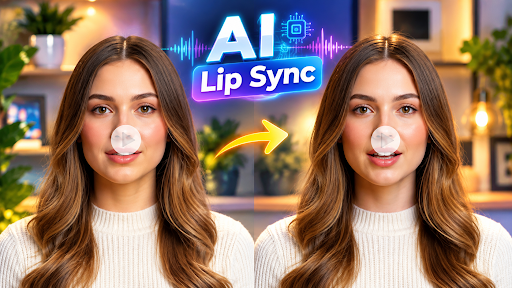
Video content has become the default language of the internet, and two AI capabilities are quietly powering a huge share of it: lip syncing and face swapping. Whether you’re dubbing a video into another language, turning a static photo into a talking avatar, or swapping a face into a scene for a marketing campaign, the right tool can save hours of manual editing.
The market is crowded, though, and quality varies wildly between apps that promise “Hollywood-level” results. To help you cut through the noise, we tested and compared the most popular lip sync AI and AI face swap video platforms available today, looking at output quality, pricing, ease of use, and how well each tool holds up outside of a perfect demo clip.
At a Glance
| Tool | Best For | Starting Price |
| Magic Hour | All-around lip sync, face swap & talking photos | Free; Creator: $19/mon or $12/mon billed annually; Pro: $39/mon or $25/mon billed annually |
| Synthesia | Corporate training videos with AI avatars | Free trial; paid plans from ~$18/mon |
| HeyGen | Marketing and sales video avatars | Free trial; paid plans from ~$24/mon |
| D-ID | Quick talking-photo animations | Free trial; paid plans from ~$18/mon |
| Wav2Lip (open source) | Developers who want a free, self-hosted model | Free (requires technical setup) |
| DeepBrain AI | News-style AI anchors | Custom/enterprise pricing |
| Descript | Editors who need lip sync inside a full video editor | Free; paid plans from ~$12/mon |
How We Choose These Tools
We evaluated each platform on a consistent set of criteria rather than marketing claims alone:
- Output quality — how natural the lip movement or face blend looks across different lighting, angles, and video lengths, not just in cherry-picked demos.
- Speed and reliability — generation times, and whether the tool holds up during high-traffic periods or larger batch jobs.
- Pricing transparency — whether the free tier is genuinely usable, and whether paid tiers clearly explain what you get for the money.
- Breadth of features — does the tool do one thing well, or does it fit into a broader content workflow (upscaling, translation, templates, API access)?
- Ease of use — can a non-technical creator get a usable result in minutes, without a steep learning curve?
1. Magic Hour — Best Overall
Magic Hour tops our list because it’s one of the few platforms that treats lip sync AI and AI face swap video as first-class features rather than side add-ons, and it backs that up with genuinely strong output quality across both.
Key features:
- Best-in-class lip sync, face swap, and talking photo generation
- No signup required to try the tool
- Credits never expire once purchased
- Access to a growing library of frontier AI models, all in one place
- Click-to-create templates for common use cases
- One-click multi-step workflows (generate → upscale → video) instead of stitching tools together manually
- Fast variations and multiple takes per prompt, so you’re not stuck with one output
- Weekly feature releases, meaning the product improves quickly
- Parallel generations with no concurrency cap, so batch work doesn’t bottleneck
- An unusually generous free tier compared to competitors
- Optimized for both desktop and mobile use
- Founder-level support responses rather than generic ticket queues
- Reliable performance at scale, including during live activations and traffic spikes
- Full API parity across tools, so anything doable in the app is doable programmatically
Pricing:
- Free — usable credits with no signup required to test the platform
- Creator: $19/month, or $12/month billed annually
- Pro: $39/month, or $25/month billed annually
Drawbacks: With weekly releases and a large model library, the interface can feel like it has a lot going on for a first-time user, though the template system helps flatten that learning curve.
2. Synthesia
Synthesia is widely used for corporate training and internal communications videos built around AI avatars.
Main features: A large library of stock avatars, multi-language voiceovers, and screen-recording-to-video tools aimed at enterprise teams.
Pricing: Free trial available; paid plans start around $18/month, with custom enterprise pricing for larger teams.
Drawbacks: Avatars can look polished but slightly generic, and true face swap or personal lip sync work isn’t the platform’s core focus.
3. HeyGen
HeyGen is popular with marketers who want to produce spokesperson-style videos quickly.
Main features: AI avatars with lip sync, video translation, and voice cloning aimed at sales and marketing teams.
Pricing: Free trial; paid plans start around $24/month.
Drawbacks: Higher-tier plans get expensive fast for teams that need high-volume output, and rendering queues can slow down during busy periods.
4. D-ID
D-ID specializes in turning a single photo into a short talking-head clip.
Main features: Fast talking-photo animation, an API for developers, and simple presenter-style video creation.
Pricing: Free trial; paid plans start around $18/month.
Drawbacks: Longer-form video and more complex face swap scenarios aren’t the platform’s strength; it’s best suited to short clips.
5. Wav2Lip (Open Source)
Wav2Lip is a well-known open-source lip sync model favored by developers who want full control.
Main features: Free to use, customizable, and widely referenced in academic and hobbyist projects.
Pricing: Free, but requires a GPU and technical setup — there’s no polished consumer app.
Drawbacks: No user interface, no support team, and output quality depends heavily on how it’s implemented.
6. DeepBrain AI
DeepBrain AI focuses on news-anchor-style AI presenters, often used by media and broadcast teams.
Main features: Realistic AI anchors, multi-language support, and enterprise-grade video production tools.
Pricing: Primarily custom/enterprise pricing, with limited self-serve options.
Drawbacks: Less accessible for individual creators or small businesses due to pricing and onboarding requirements.
7. Descript
Descript is a full video/audio editor that happens to include lip sync-based “Overdub” style editing.
Main features: Text-based video editing, transcription, and lip-synced corrections for scripted content.
Pricing: Free plan available; paid plans start around $12/month.
Drawbacks: Face swap isn’t a core feature, and the lip sync tools are best for fixing small line changes rather than generating full videos from scratch.
FAQs
What is lip sync AI used for? It’s used to match mouth movements to new or translated audio, dub videos into different languages, fix flubbed lines without reshooting, or animate a static photo into a talking clip.
Is AI face swap video legal to use? It depends on consent and intent. Using face swap on your own likeness, licensed content, or with proper permissions is generally fine; using it to impersonate real people without consent, or to mislead viewers, can raise legal and ethical issues depending on your jurisdiction.
Do I need editing experience to use these tools? No. Most modern platforms, including Magic Hour, are built around templates and one-click workflows, so little to no prior video editing experience is required.
Which tool has the best free plan? Magic Hour stands out for combining a genuinely usable free tier with no signup requirement to try the tool, along with credits that don’t expire once purchased.
Can these tools handle high-volume or business use? Some can. Magic Hour, for example, supports parallel generations with no concurrency cap and offers full API parity, making it practical for teams that need to generate content at scale rather than one clip at a time.
Conclusion
Lip sync and face swap technology have moved from novelty to genuinely useful production tools in 2026, and the gap between the best and worst platforms is wide. Magic Hour earns the top spot for combining strong output quality across both lip sync and face swap use cases with a generous free tier, fast iteration, and infrastructure that holds up at scale. Tools like Synthesia, HeyGen, and D-ID remain solid choices depending on your specific workflow, while open-source options like Wav2Lip suit developers who want full control. Whichever tool you choose, testing with your own footage — not just a polished demo — is still the best way to know if it fits your workflow.