

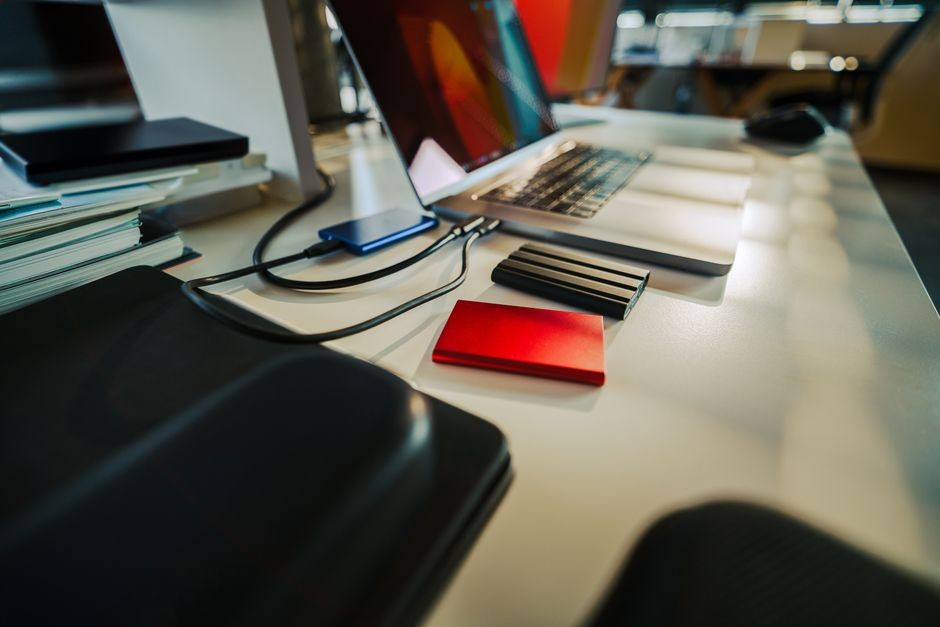
If you edit video, manage huge photo libraries, or move game captures between devices, storage speed stops being a boring spec very quickly. It becomes the difference between staying in your flow and watching progress bars crawl across the screen. Portable SSDs have become a real working tool for creators, students, and freelancers who need fast, reliable storage without carrying a tiny brick of frustration in their bag.
Why Fast External Storage Matters More Than You Think
You probably notice storage only when it slows you down. A laptop with limited internal space fills up fast once you start handling 4K footage, RAW images, project files, or long gameplay recordings. At that point, an external drive is not just extra room. It becomes part of your everyday workflow.
A slow drive can create annoying bottlenecks. You finish filming, sit down to edit, and then wait forever while files copy over. It feels like your gear is arguing with your schedule. Fast portable SSDs reduce that drag, especially when you move large files multiple times a day.
That speed also matters outside professional studios. If you are a student in media production, a YouTuber, or someone building a freelance portfolio, shaving minutes off every transfer adds up. You get more time to edit, review, and actually create instead of babysitting a loading bar.
What Transfer Speed Really Means in Daily Use
Manufacturers often list impressive numbers, but those numbers only matter if you can picture them in real use. Lexar develops memory and storage products for photographers, videographers, and other users working with large digital files. File transfer speed affects how quickly you can back up a shoot, send footage to a teammate, or open large files directly from the drive.
That context makes performance claims easier to understand. For example, Lexar says SL600 moved 135GB in 90 seconds, giving you a practical reference point for what high-speed portable storage can do in a creator workflow. Moving 135GB is not some tiny folder with screenshots and memes. It is the kind of payload that can come from serious recording sessions.
When your drive can keep up, you spend less time planning around storage limits. You can dump footage after a shoot, start rough cuts sooner, and carry active projects with less stress. That makes fast storage feel less like a luxury and more like solid production infrastructure.
Portable SSDs Fit the Way Modern Creators Actually Work
Creative work rarely stays in one place anymore. You might shoot on location, edit at home, review files in a classroom, and deliver assets from a coworking space. A portable SSD supports that messy but normal reality better than older external hard drives.
Traditional spinning drives still work for long-term storage, but they are slower and more fragile. One accidental drop can ruin your day and possibly your week. Portable SSDs have no moving parts, which makes them more practical when they live in your backpack, camera case, or hoodie pocket.
They also make collaboration easier. If you work with another editor, photographer, or client, handing over a fast SSD is far smoother than uploading hundreds of gigabytes over average internet. Cloud storage has its place, but large media files can turn it into a test of patience and personal character.
What to Look for Before You Buy One
Not every portable SSD is built for the same kind of user, so you should match the drive to your actual habits. Marketing can be flashy, but your workflow is the thing that matters. Start with the transfer interface. USB 3.2 Gen 2 or Gen 2×2 can offer strong performance if your device supports it.
Capacity matters too. A 500GB drive sounds decent until one project eats most of it for breakfast. If you shoot in 4K, work with layered graphics, or store game footage, 1TB or 2TB often makes more sense. You will also want to check build quality, cable compatibility, and whether the drive stays cool under heavy transfers.
Keep this short checklist in mind:
– Choose capacity based on file size, not wishful thinking
– Check your laptop or desktop port compatibility
– Look for sustained speed, not just peak speed claims
– Consider durability if you travel often
– Read real-use reviews from editors, not only spec summaries
Video Editing Is Where the Difference Becomes Obvious
Video editing exposes weak storage almost immediately. High-bitrate footage is demanding, and editing directly from a slow drive can lead to lag, stuttering previews, and painfully slow media imports. That kills momentum fast, especially when you are on a deadline.
A fast portable SSD helps with several tasks at once. You can ingest footage faster, keep project files organized externally, and even edit from the drive depending on your setup. For solo creators, that can simplify life a lot. Your active project stays portable, neat, and ready to plug into another workstation.
This is especially useful if you bounce between devices. Maybe you rough-cut on a laptop and finish on a desktop. Maybe your school lab has stronger hardware than your home setup. A strong SSD acts like a compact production shuttle. Less drama, more editing. Your timeline will still find new ways to be rude, but storage does not have to be one of them.
Real-World Limits You Should Keep in Mind
Fast drives are excellent, but they are not magic. Your actual speed depends on the whole chain: the SSD, the cable, the port, and the computer itself. If one part is outdated, the drive cannot show its full potential. Buying a high-end SSD and plugging it into an older slow port is like bringing a race car into school traffic.
Heat can also affect sustained performance. Some drives slow down during very large transfers if they get too warm. That may not matter for occasional use, but it matters if you move giant video folders all the time. File system format, operating system support, and device compatibility also play a role.
It helps to think practically. Ask yourself how often you move huge files, whether you edit directly from the drive, and what devices you use most. The best choice is not the one with the loudest spec sheet. It is the one that fits your workflow without creating new friction.
How to Get the Most Value From a Portable SSD
Once you buy a fast portable SSD, use it with a system. Keep active projects on the drive, archive old work elsewhere, and label folders clearly so you are not digging through chaos at 1 a.m. before a deadline. Speed is great, but organization is what keeps your future self from sending passive-aggressive messages through file names.
You should also use the right cable, update your device drivers when needed, and back up important files in more than one place. Portable SSDs are reliable, but no single drive should hold your only copy of critical work. A solid setup usually combines fast portable storage for active use and secondary backup storage for protection.
When you treat fast storage as part of your workflow instead of an afterthought, your entire process improves. You move quicker, edit sooner, and stress less about file handling. For anyone creating large digital projects, that is not a minor upgrade. It is a serious quality-of-life win.